Best MEMS IMU for Robotics and Drones: How to Choose Industrial-Grade Performance
Here’s the deal: choosing the best MEMS IMU takes more than comparing axis count, maximum output rate, or the bold accuracy number printed at the top of a product page. On a drone, mobile robot, autonomous vehicle, or mapping platform, actual performance comes down to how gyro drift, accelerometer bias, random noise, cross-axis error, temperature changes, vibration, and mechanical installation behave together over time. A low-cost sensor may look perfectly responsive on the bench, then produce unstable attitude estimates, velocity drift, or navigation errors after it is installed near motors, propellers, gearboxes, batteries, or changing heat sources.
This guide walks through the specifications that matter when evaluating an industrial MEMS inertial measurement unit. It covers 6-axis and 9-axis architectures, explains bias instability and random walk in practical terms, reviews temperature calibration and vibration control, and compares the HM-G11 and HM-G12 high-precision 6-axis IMUs. The goal is not to declare one universal winner. It is to help engineers choose the best-fit MEMS IMU for the machine’s dynamics, operating environment, integration limits, and sensor-fusion architecture.
Selection principle: “Best” means best matched to the job. A compact flight controller, an industrial robot, and a survey-mapping platform may need different interfaces, mounting formats, environmental ratings, and fusion strategies even when their raw inertial-performance targets look similar.
Table of Contents
- 👉 Quick Answer: What Is the Best MEMS IMU?
- 👉 How a MEMS IMU Works
- 👉 Specifications That Determine IMU Performance
- 👉 6-Axis vs. 9-Axis IMUs
- 👉 How to Choose a MEMS IMU for Robotics
- 👉 How to Choose a MEMS IMU for Drones
- 👉 Temperature Calibration and Long-Term Stability
- 👉 Vibration, Mounting, and Mechanical Integration
- 👉 Sensor Fusion, Navigation, and Drift Correction
- 👉 HM-G11 vs. HM-G12 Specifications
- 👉 Step-by-Step IMU Selection Workflow
- 👉 How to Validate an IMU Before Deployment
- 👉 Common IMU Selection Mistakes
- 👉 Frequently Asked Questions
- 👉 Final Recommendation
Quick Answer: What Is the Best MEMS IMU?
The best MEMS IMU is the one whose noise, bias stability, temperature behavior, bandwidth, dynamic range, interface, size, and calibration fit the actual operating environment. For industrial robotics and drones, pay close attention to quantified gyro bias instability, angular random walk, accelerometer bias, full-temperature calibration, cross-axis performance, timing, and package stability. Axis count by itself does not tell you much.
| Application | Priority specifications | Recommended direction |
|---|---|---|
| Compact UAV or embedded robot | Low mass, low current, fast interface, wide temperature range | HM-G11-style compact 6-axis module |
| Industrial robot or larger platform | Stable mounting, simple 5 V supply, UART integration | HM-G12-style industrial module |
| Magnetically disturbed platform | Stable gyro and accelerometer data with external heading aids | Calibrated 6-axis IMU |
| High-dynamic motion | Range, bandwidth, sampling, filtering, and latency | Verify the complete signal chain |
| Long GNSS-denied operation | Low bias and noise plus external aiding | Fuse the IMU with LiDAR, vision, odometry, UWB, or GNSS |
Look, neither a 1000 Hz output rate nor “9-axis” branding proves that a sensor is more accurate. Of the two products covered here, the HM-G11 is the smaller, lighter, lower-current option and supports UART and SPI. The HM-G12 is a larger 5 V UART module built around a 30 × 30 mm format. Their published core bias, noise, accelerometer, and bandwidth figures are otherwise closely matched.
How a MEMS IMU Works
What an inertial measurement unit measures
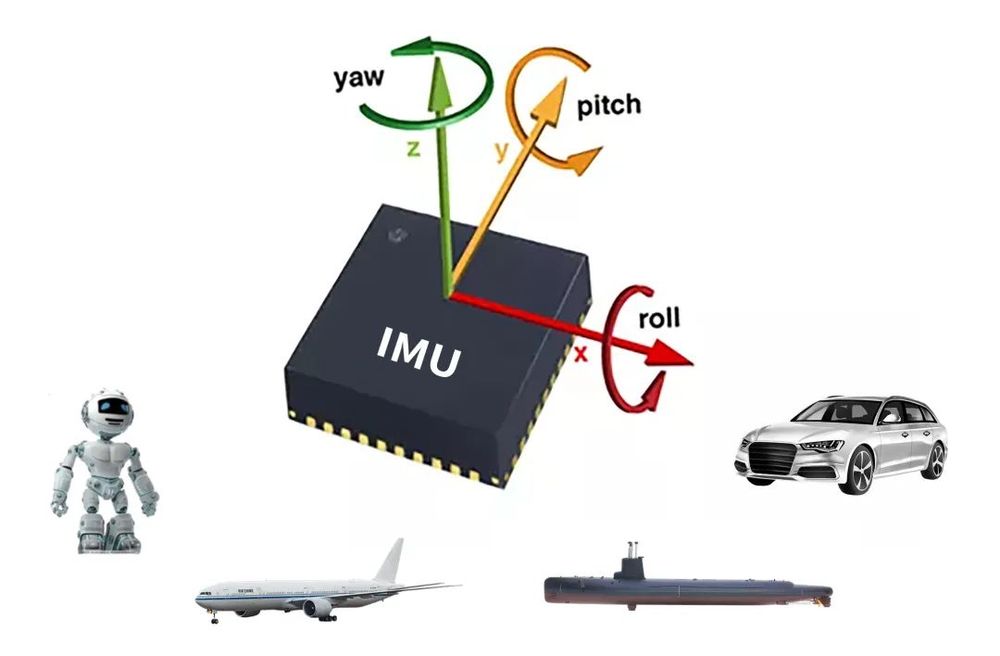
A 6-axis IMU combines three orthogonal gyroscope axes with three orthogonal accelerometer axes. The gyroscopes measure angular rate. The accelerometers measure specific force. A complete industrial module will also usually include signal conditioning, calibration coefficients, timing logic, digital communication, and often an embedded microcontroller that applies compensation before sending measurements to the host.
An accelerometer does not directly measure velocity or position. Velocity has to be estimated by integrating acceleration over time, and position requires a second integration. Any residual offset or noise accumulates along the way. The acceleration measurement also includes gravity, so the navigation algorithm has to estimate attitude accurately before it can separate the gravity vector from actual vehicle acceleration.
Why gyroscope and accelerometer errors matter
Gyroscope bias makes the estimated orientation drift. Once the attitude estimate is wrong, the estimator projects gravity into the wrong axes. An attitude error of just one degree can create roughly 0.17 m/s² of apparent horizontal acceleration from gravity. Integrate that false acceleration and the velocity and position errors start growing fast. In the shop, this is why low bias, sound calibration, rigid alignment, and reliable external corrections often matter more than a big sample-rate number.
Raw sensor, IMU, AHRS, and INS
- ⚙️ MEMS sensor: The underlying microelectromechanical sensing element.
- ⚙️ IMU: A module that provides gyroscope and accelerometer measurements, generally with some level of calibration or compensation.
- ⚙️ AHRS: An attitude and heading reference system that estimates roll, pitch, and heading through sensor fusion.
- ⚙️ INS: An inertial navigation system that propagates position, velocity, and attitude.
- ⚙️ Navigation system: A broader architecture that combines inertial data with GNSS, cameras, LiDAR, radar, wheel encoders, or other references.
Do not assume that an IMU automatically provides drift-free orientation or position. The result depends on the sensor, calibration, initialization, timing, estimator design, mechanical installation, and availability of aiding measurements.
Specifications That Determine Real IMU Performance
Gyroscope bias instability
Gyroscope bias instability describes how much the zero-rate output tends to wander under stable conditions over relevant averaging intervals. Lower values generally support better attitude propagation between external corrections. Both the HM-G11 and HM-G12 specify gyro bias instability of no more than 1.4°/h.
That figure is not a guaranteed one-hour heading error. Real drift depends on turn-on bias, temperature, vibration, averaging time, filter design, initial calibration, platform motion, and external aiding. Use bias instability as one line item in a complete error budget, not as a standalone navigation promise.
Bias stability versus bias instability
The product data separately lists gyro bias instability and gyro bias stability. Those terms are not always used the same way from one supplier to another. Values are only directly comparable when the test conditions and calculation methods are understood. Both modules list gyro bias stability of no more than 4°/h in addition to the no-more-than 1.4°/h bias-instability figure.
Before design-in, ask for the temperature conditions, averaging interval, sample population, Allan deviation data, and confirmation of whether each number is typical or guaranteed. Turn-on repeatability and unit-to-unit variation can also affect production performance, even if the first engineering sample looks excellent.
Angular random walk
Angular random walk indicates the effect of integrated gyroscope white noise and is commonly expressed in degrees per square root hour. The HM-G11 and HM-G12 each specify angular random walk of no more than 0.15°/√h. This matters for short-term orientation propagation, but low random walk does not eliminate slower bias drift, thermal error, or mounting-related problems.
Accelerometer bias and velocity random walk
Both products publish an accelerometer bias instability of 0.016 mg, accelerometer bias stability of 0.055 mg, and velocity random walk of 0.018 m/s/√h. These characteristics affect leveling, gravity compensation, dead reckoning, and estimated velocity during an outage of the external reference. Because acceleration is integrated, even a small leftover offset can become a meaningful velocity error.
Range, bandwidth, output rate, and latency
These terms are related, but they are not interchangeable. Range defines the largest measurable input before saturation. Bandwidth describes the frequency content preserved by the sensing and filtering chain. Output rate tells you how often data is delivered. Latency tells you how old that data is when it reaches the controller or estimator.
Both products have a published accelerometer range of ±16 g, gyroscope and accelerometer bandwidths of 200 Hz, and product-description output rates up to 1000 Hz. A 1000 Hz stream does not mean 1000 Hz sensor bandwidth. Delivering a sample every millisecond can still help with synchronization, numerical integration, and downstream filtering, but useful physical signal content remains limited by the measurement bandwidth and internal filters.
Orthogonality and cross-axis error
Non-orthogonal sensing axes cause motion along one physical direction to show up partly on another channel. That can hurt multi-axis control, survey alignment, attitude estimation, and dynamic reconstruction. The HM-G11 lists a 0.05° typical orthogonality error, while the HM-G12 lists an orthogonality error of no more than 0.05°. The word “typical” matters. The HM-G11 figure should not be treated as a guaranteed maximum.
Specifications to verify beyond a short product table
A professional selection review should also confirm gyroscope range, scale-factor error, nonlinearity, in-run repeatability, turn-on repeatability, timing accuracy, synchronization options, output latency, jitter, shock and vibration limits, EMC behavior, calibration format, protocol documentation, lifecycle support, and production traceability. Those details are not all included in the supplied specification tables, so they need to be confirmed with the supplier rather than guessed.
6-Axis vs. 9-Axis IMUs: More Sensors Do Not Automatically Mean More Accuracy
What the additional three axes represent
A product marketed as a 9-axis IMU usually combines a three-axis gyroscope, three-axis accelerometer, and three-axis magnetometer. The magnetometer measures the local magnetic field and may provide an absolute heading reference when the surrounding field is stable and the sensor is properly calibrated. It does not improve the gyroscope’s underlying bias, accelerometer noise, thermal compensation, or axis alignment.
Why magnetometers are difficult on robots and drones
Brushless motors, high-current conductors, batteries, power-distribution boards, steel fasteners, permanent magnets, speakers, actuators, payload changes, and nearby industrial machinery can all distort magnetic measurements. Hard-iron effects create offsets, while soft-iron materials reshape the measured field. A calibration performed in one machine configuration may no longer be valid after the payload, wiring, current draw, or surrounding structure changes.
When a calibrated 6-axis IMU is the better foundation
A high-performance 6-axis IMU may be the better foundation when heading is constrained through GNSS course, dual-antenna GNSS, visual odometry, LiDAR odometry, wheel encoders, landmarks, external magnetic sensors, or known motion constraints. This arrangement is common on motor-heavy robots and UAVs where an onboard magnetometer cannot be placed far enough from interference.
The practical question is not whether nine is a larger number than six. The real question is whether the complete fusion system can observe and correct the required states under actual operating conditions.
How to Choose a MEMS IMU for Robotics
Match the IMU to the robot’s motion profile
- ⚙️ Wheeled mobile robots: Prioritize low-speed bias behavior, wheel-odometry fusion, slope estimation, impact tolerance, and long operating periods.
- ⚙️ Legged robots: Account for rapid attitude motion, foot-strike impacts, high-frequency structural vibration, and accurate timing.
- ⚙️ Industrial arms: Evaluate repeatability, gearbox vibration, structural flex, mounting alignment, and deterministic control latency.
- ⚙️ AMRs and AGVs: Test thermal changes, floor transitions, indoor localization, power-cycle repeatability, and continuous-duty operation.
- ⚙️ Outdoor robots: Consider temperature range, enclosure-level environmental protection, terrain impacts, and GNSS integration.
Interface and electrical integration
Interface selection is part of the system architecture, not an afterthought. SPI can provide low protocol overhead and close host control in board-level embedded systems. UART can simplify modular integration, but baud rate, packet framing, buffering, and timestamp placement still need validation. Supply voltage, digital signal levels, current budget, grounding, connector retention, and cable routing all affect reliability.
The HM-G11 supports one default UART connection and one SPI connection, operates from DC 3.3 ±0.3 V, and draws 20 mA typical. The HM-G12 provides one default UART connection, operates from DC 5 ±0.5 V, and draws no more than 31 mA. Both specify 3.3 V digital signal levels, but the connectors and input-power requirements are different.
Localization context
An IMU and an environmental sensor do different jobs, and that is exactly why they work well together. The IMU supplies high-rate motion propagation, while external observations constrain accumulated drift. Engineers planning laser-based localization can review this guide to LiDAR scanning for robotics and drones. Neither technology universally replaces the other. Performance depends on fusion, timing, scene geometry, and operating conditions.
How to Choose a MEMS IMU for Drones and UAVs
Flight-control requirements
Drone IMUs have to tolerate rapid angular motion, tight control-loop timing, propeller vibration, motor harmonics, changing airflow, self-heating, limited mass, and possible impact acceleration. Safety-oriented platforms may use multiple inertial sensors so the software can compare their outputs and detect disagreement. Redundancy still has to be intentionally designed. Do not assume that vague reliability wording means a module contains multiple independent sensing elements.
Evaluate output rate and bandwidth together
A 1000 Hz data stream can support fast flight-control updates, but sensor bandwidth, internal filter delay, communication latency, timestamp integrity, and packet jitter are just as important. A fast-looking stream with uncertain timing may be less useful than a slower deterministic stream. Measure end-to-end sample age instead of relying only on the configured output rate.
Choose the package around the aircraft
At 4 g and 19.6 × 11.6 × 11.2 mm, the HM-G11 is the stronger candidate when mass, volume, SPI access, lower typical current, or operation above +85°C matters. Its documented operating range extends from −40°C to +105°C.
At 14 g and 30 × 30 × 10.6 mm, the HM-G12 may fit larger aircraft or unmanned platforms designed around a 5 V rail, UART communication, and a broader screw-mounted industrial package. Its operating range is −40°C to +85°C.
Both modules use ±16 g accelerometers and list 200 Hz sensor bandwidth. Before selecting either one for flight, confirm the gyroscope range, protocol behavior, synchronization method, vibration environment, mechanical installation, and compatibility with the intended flight controller.
Temperature Calibration and Long-Term Stability
Why MEMS behavior changes with temperature
Temperature can alter bias, scale factor, axis alignment, mechanical stress, and noise behavior. A cold outdoor launch, electronics self-heating inside an enclosure, hot motors near the IMU, and changing airflow during flight can all produce thermal transients. A system calibrated only at room temperature may behave differently at startup or after the equipment reaches its steady operating temperature.
Full-temperature calibration
The HM-G11 is described as factory calibrated across its operating range of −40°C to +105°C. The HM-G12 is described as factory calibrated across its operating range of −40°C to +85°C. Full-temperature calibration means temperature-dependent behavior has been characterized and compensated across the stated range. It does not mean every error source becomes zero at every temperature.
Residual error still has to be compared with the application’s requirements. Enclosure design, board stress, mounting, power dissipation, nearby heat sources, and the speed of the temperature transition can all affect field performance.
Warm-up and repeatability testing
During qualification, log the time from power-on, sensor or nearby temperature, static gyroscope output, acceleration magnitude, estimator bias values, and repeatability across multiple power cycles. Include cold starts, hot starts, slow thermal sweeps, long soaks, and rapid transitions. A sensor that performs well after thermal stabilization may still need a startup strategy if the machine has to move immediately after power is applied.
Vibration, Mounting, and Mechanical Integration
How vibration corrupts inertial measurements
Vibration can add in-band noise, create aliasing from frequencies above the usable signal chain, produce rectification effects, shift apparent bias, excite connector or mounting resonances, and cause temporary saturation. Continuous motor or gearbox vibration should be separated from transient impacts because the two conditions stress different parts of the sensor and mounting system.
Rigid mounting versus vibration isolation
Rigid mounting preserves a stable relationship between the IMU frame and the vehicle frame. Isolation can attenuate harmful vibration, but a poorly selected isolator may add resonance, phase lag, low-frequency movement, or inconsistent alignment. Its material, stiffness, damping, geometry, mounted mass, and temperature dependence should be chosen from a measured vibration spectrum—not intuition or trial-and-error alone.
Installation checklist
- ⚙️ Mount the module on a flat, dimensionally stable surface.
- ⚙️ Document the transformation between the sensor axes and vehicle body axes.
- ⚙️ Use controlled, repeatable screw torque.
- ⚙️ Avoid board flex, enclosure distortion, and unsupported cable loads.
- ⚙️ Route signal and power conductors away from high-current switching paths.
- ⚙️ Measure vibration at the installed IMU location.
- ⚙️ Apply suitable anti-alias filtering before downsampling.
- ⚙️ Test the complete assembly with motors, gearboxes, propellers, and payloads active.
Both the HM-G11 and HM-G12 are described as screw-mounted modules, which can support repeatable installation. No specific shock or vibration qualification was supplied here, so those ratings should be requested and verified instead of assumed.
Sensor Fusion, Navigation, and Drift Correction
Why no unaided MEMS IMU is drift-free
An IMU propagates motion at a high rate, but gyro and accelerometer errors accumulate. Long-duration navigation therefore normally needs external observations or valid motion constraints. A better inertial sensor can extend the useful interval between corrections, but it cannot remove the underlying integration process.
Common aiding sensors
- ✅ GNSS for global position and velocity.
- ✅ Cameras for visual odometry and VSLAM.
- ✅ LiDAR for scan matching, mapping, and environmental geometry.
- ✅ Wheel encoders for ground-vehicle displacement constraints.
- ✅ Barometers for altitude or vertical-motion support.
- ✅ Magnetometers where the magnetic environment permits reliable calibration.
- ✅ UWB or fixed beacons for local positioning.
Industrial autonomy systems often combine inertial data with laser-scanning hardware from suppliers such as HOKUYO or 3D LiDAR technology providers such as Blickfeld. These are examples of environmental-sensing categories, not endorsements or claims of confirmed compatibility. The right fusion architecture depends on range, field of view, environmental conditions, update rate, timing, and localization objectives.
ZUPT and motion constraints
When a platform has reliably detectable stationary periods, zero-velocity updates can constrain accumulated inertial error by telling the estimator that velocity should be zero. For more detail, read what problems ZUPT solves in VIO and VSLAM. ZUPT is useful, but it is not magic. It requires dependable stationary detection and does not independently correct every heading, position, or calibration error.
Timing is part of measurement accuracy
Sensor fusion depends on timestamps, synchronization, buffering, transport delay, and clock stability. A high-quality IMU can still produce poor estimates if its samples are associated with the wrong camera frame, LiDAR scan, encoder interval, or control cycle. Qualification should determine when the physical sample was taken, when it was transmitted, and when the estimator actually consumed it.
HM-G11 vs. HM-G12: Industrial MEMS IMU Specifications
The HM-G11 and HM-G12 list the same principal gyroscope noise, bias, accelerometer, bandwidth, and output-rate figures. Their main documented differences are package size, weight, supply voltage, current, connector, communication options, operating-temperature ceiling, storage range, and the way orthogonality error is qualified.

HM-G11 High-Performance 6-Axis IMU
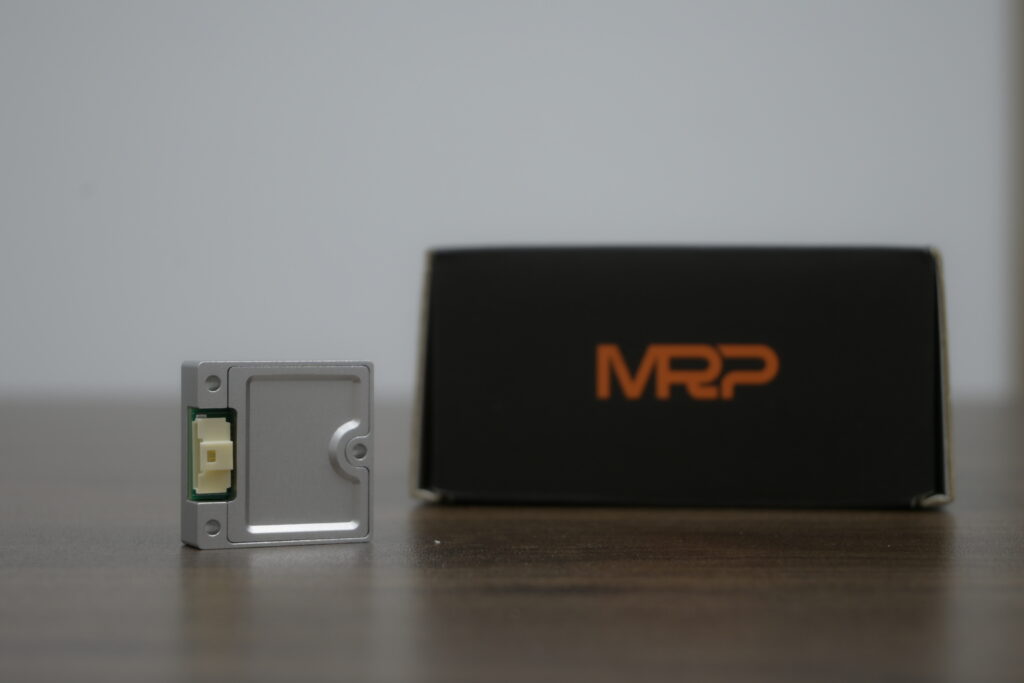
The HM-G11 is a compact MEMS-based inertial module intended for applications such as UAVs, autonomous platforms, robotics, and survey mapping. It measures three-axis angular velocity and three-axis acceleration while emphasizing a small 4 g package, 3.3 V operation, UART and SPI connectivity, full-temperature calibration, and output rates up to 1000 Hz.
| Category | Specification | Published value |
|---|---|---|
| Gyroscope | Bandwidth | 200 Hz |
| Gyroscope | Angular random walk | ≤ 0.15°/√h |
| Gyroscope | Bias instability | ≤ 1.4°/h |
| Gyroscope | Bias stability | ≤ 4°/h |
| Gyroscope | Orthogonality error | 0.05° typical |
| Accelerometer | Range | ±16 g |
| Accelerometer | Velocity random walk | 0.018 m/s/√h |
| Accelerometer | Bias instability | 0.016 mg |
| Accelerometer | Bias stability | 0.055 mg |
| Accelerometer | Bandwidth | 200 Hz |
| Electrical | External data interface | UART ×1 default; SPI ×1 |
| Electrical | Operating current | 20 mA typical |
| Electrical | Input voltage | DC 3.3 ±0.3 V |
| Electrical | Connector and signal level | 20-pin connector; 3.3 V digital signal level |
| Mechanical | Dimensions | 19.6 × 11.6 × 11.2 mm |
| Mechanical | Weight | 4 g |
| Environmental | Operating temperature | −40°C to +105°C |
| Environmental | Storage temperature | −40°C to +125°C |
| Output | Published output rate | Up to 1000 Hz |
View Product Details & Pricing ➔

HM-G12 Industrial High-Precision 6-Axis IMU
The HM-G12 combines three-axis gyroscopes, three-axis accelerometers, and an MCU in a 30 × 30 × 10.6 mm module. It is positioned for drones, robotics, intelligent machines, and industrial applications that need a 5 V supply, UART communication, screw mounting, full-temperature calibration, and high-rate inertial output.
| Category | Specification | Published value |
|---|---|---|
| Gyroscope | Bandwidth | 200 Hz |
| Gyroscope | Angular random walk | ≤ 0.15°/√h |
| Gyroscope | Bias instability | ≤ 1.4°/h |
| Gyroscope | Bias stability | ≤ 4°/h |
| Gyroscope | Orthogonality error | ≤ 0.05° |
| Accelerometer | Range | ±16 g |
| Accelerometer | Velocity random walk | 0.018 m/s/√h |
| Accelerometer | Bias instability | 0.016 mg |
| Accelerometer | Bias stability | 0.055 mg |
| Accelerometer | Bandwidth | 200 Hz |
| Electrical | External data interface | UART ×1 default |
| Electrical | Operating current | ≤ 31 mA |
| Electrical | Input voltage | DC 5 ±0.5 V |
| Electrical | Connector and signal level | 10-pin connector; 3.3 V digital signal level |
| Mechanical | Dimensions | 30 × 30 × 10.6 mm |
| Mechanical | Weight | 14 g |
| Environmental | Operating temperature | −40°C to +85°C |
| Environmental | Storage temperature | −40°C to +85°C |
| Output | Published output rate | Up to 1000 Hz |
View Product Details & Pricing ➔
| Specification | HM-G11 | HM-G12 |
|---|---|---|
| Gyroscope bias instability | ≤ 1.4°/h | ≤ 1.4°/h |
| Angular random walk | ≤ 0.15°/√h | ≤ 0.15°/√h |
| Interface | UART and SPI | UART |
| Supply | 3.3 ±0.3 V | 5 ±0.5 V |
| Dimensions | 19.6 × 11.6 × 11.2 mm | 30 × 30 × 10.6 mm |
| Weight | 4 g | 14 g |
| Operating temperature | −40°C to +105°C | −40°C to +85°C |
Choose the HM-G11 when
- ✅ Size and weight are critical.
- ✅ The system uses a 3.3 V supply.
- ✅ SPI is preferred or required.
- ✅ Lower typical operating current is valuable.
- ✅ An operating ceiling above +85°C is required, subject to full system validation.
Choose the HM-G12 when
- ✅ A 30 × 30 mm industrial module fits the mechanical design.
- ✅ The platform supplies 5 V.
- ✅ UART communication is sufficient.
- ✅ A 10-pin connector and larger screw-mounted package suit the installation.
- ✅ The operating environment remains within −40°C to +85°C.
Specification note: Confirm protocol details, gyroscope range, synchronization, shock and vibration qualifications, calibration documentation, availability, and lifecycle requirements with the supplier before final design-in.
Step-by-Step MEMS IMU Selection Workflow
1. Define the mission profile
Start with the machine, not the catalog. Document expected angular rates, linear acceleration, impacts, operating duration, temperature range, vibration sources, and required attitude, velocity, or position performance. Include startup behavior and realistic external-sensor outage durations.
2. Define the fusion architecture
Identify whether the IMU will be aided by GNSS, cameras, LiDAR, wheel encoders, magnetometers, UWB, barometers, or motion constraints. This determines how long the estimator must rely mainly on inertial propagation and which error states can be observed and corrected.
3. Build an error budget
Allocate acceptable error among gyro bias, gyro noise, accelerometer bias, scale factor, timing, mounting alignment, external-sensor uncertainty, and calibration residuals. Translate mission-level requirements into acceptance criteria that can actually be measured during testing.
4. Check dynamics and anti-aliasing
Make sure the measurement ranges prevent saturation and that the bandwidth captures the vehicle motion you care about. At the same time, filtering must attenuate unwanted vibration before downsampling. More bandwidth is not always better if it simply passes more mechanical noise into the estimator.
5. Verify electrical and mechanical compatibility
Check supply voltage, current, digital levels, interface, connector, dimensions, weight, mounting, thermal path, cable routing, and controller resources. A highly accurate sensor is no help if it cannot be integrated reliably into the finished machine.
6. Separate guaranteed and typical values
Do not treat typical values as maximum limits. Record the conditions and qualifiers associated with every specification used in the design decision. If a number is essential to system safety or performance, obtain written clarification.
7. Test representative units
Evaluate multiple samples, temperatures, power cycles, operating modes, and vibration conditions. One good laboratory sample does not establish production variation, long-term stability, or field reliability.
How to Validate an IMU Before Deployment
Static testing
Perform a six-position accelerometer test, long-duration zero-rate gyro logging, Allan deviation analysis, startup repeatability checks, and axis-alignment verification. Static data helps separate white noise, bias behavior, orientation error, and power-cycle variation.
Thermal testing
Evaluate cold starts, hot starts, thermal soaks, slow ramps, and rapid transitions. Compare compensated outputs across repeated cycles and note whether enclosure heating creates gradients between the IMU and the temperature measurement used for compensation.
Dynamic and timing testing
Use a rate table, motion platform, known rotation fixture, or instrumented vehicle test to assess scale behavior, latency, alignment, and dynamic response. Measure timestamps and sample age at the estimator, not only at the communication driver.
Vibration testing
Measure the installed vibration spectrum before choosing digital filters or mechanical isolation. Test with motors, propellers, gearboxes, cooling fans, and realistic payloads operating through their full speed ranges. In the shop, this is where otherwise promising designs often expose their weak points.
System-level acceptance criteria
Set pass-or-fail limits for attitude drift over an unaided interval, velocity drift during a GNSS outage, recovery after an impact, timing error, controller stability, and temperature-dependent residuals. Preserve the raw logs so future calibration and estimator changes can be replayed against the same measurements.
Common Mistakes When Choosing a MEMS IMU
- ⚙️ Choosing by axis count: A 9-axis module can have poorer inertial performance than a calibrated 6-axis product.
- ⚙️ Treating output rate as bandwidth: A 1000 Hz stream does not guarantee a 1000 Hz physical response.
- ⚙️ Ignoring test conditions: Typical, maximum, room-temperature, and full-temperature values are not interchangeable.
- ⚙️ Using a consumer breakout board as the only benchmark: Calibration, timing, packaging, connectors, and production support matter.
- ⚙️ Ignoring synchronization: High-quality but mistimed measurements can degrade sensor fusion.
- ⚙️ Adding soft isolation without analysis: An isolator can create resonance, phase delay, and moving alignment errors.
- ⚙️ Expecting drift-free position: Long-term inertial navigation normally requires external aiding.
- ⚙️ Skipping production-variation testing: Qualification should include multiple units and repeated power cycles.
- ⚙️ Ignoring sensor-to-body alignment: A small mounting rotation can become a systematic control or navigation error.
- ⚙️ Discarding raw data: Filtered outputs alone make troubleshooting and algorithm improvement much harder.
Frequently Asked Questions About MEMS IMUs
Can a MEMS IMU under $200 deliver professional navigation performance?
Is a 9-axis IMU more accurate than a high-performance 6-axis IMU?
Why do professional IMUs outperform inexpensive sensors, and is vibration isolation necessary?
Is a 1000 Hz IMU always better than a 200 Hz IMU?
How much gyro bias instability is good enough for a robot or drone?
Can an IMU provide accurate position without GPS, cameras, or LiDAR?
Should an industrial robot use SPI or UART for its IMU?
How should an IMU be mounted on a drone or mobile robot?
Final Recommendation: Select the IMU as Part of the Complete Motion System
The best MEMS IMU for robotics or drones is not automatically the device with the most axes or the highest advertised sample rate. It is the sensor whose bias, random walk, calibration, bandwidth, range, timing, thermal behavior, interface, and mechanical design meet a documented system error budget.
- ✅ HM-G11: Best positioned for compact, weight-sensitive, lower-current designs that need 3.3 V operation, UART or SPI, and an operating range extending to +105°C.
- ✅ HM-G12: Best positioned for larger industrial platforms using a 5 V supply, UART communication, and a 30 × 30 mm screw-mounted module.
- ✅ Both products: Publish ≤1.4°/h gyro bias instability, ≤0.15°/√h angular random walk, 0.016 mg accelerometer bias instability, ±16 g accelerometer range, 200 Hz bandwidth, and output rates up to 1000 Hz.
Look, the final decision should come after representative testing under the motion, temperature, vibration, timing, and electrical conditions the equipment will actually see. Confirm every specification that is not explicitly listed before committing the sensor to a production design. That extra work up front is cheaper than debugging unstable navigation after the machine is already in the field.
Compare the IMUs for Your Application
Review the complete product details, confirm interface and environmental requirements, and validate the selected module under representative motion, temperature, and vibration conditions.
📚 References & Further Reading
- Industry Standard: HOKUYO industrial sensing and automation technologies
- Industry Standard: Blickfeld 3D LiDAR technology
- Related Guide: LiDAR scanning for robotics and drones
- Related Guide: What problems ZUPT solves in VIO and VSLAM